Introduction
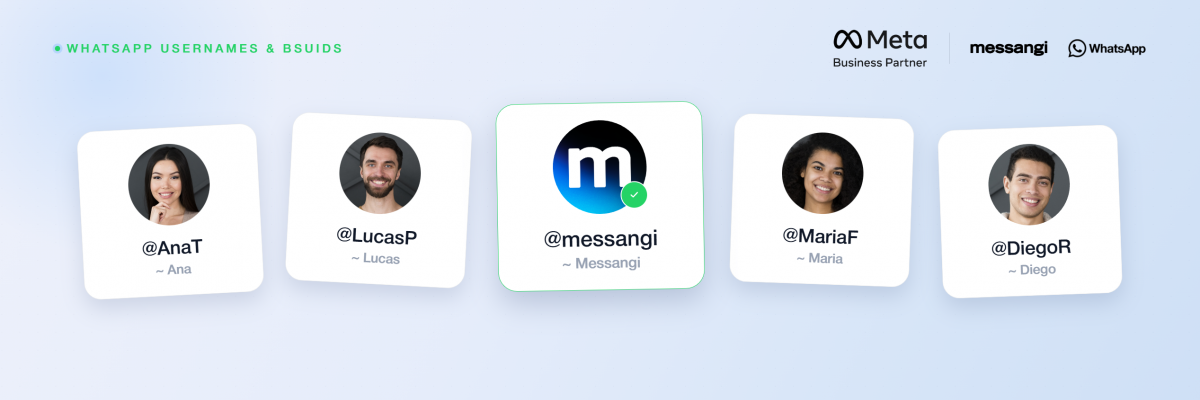
WhatsApp is rolling out optional usernames that let people message businesses without sharing a phone number.
Meta now sends a new identifier, the Business-Scoped User ID (BSUID), inside every webhook a business receives.
Messangi absorbs this identity change so communication stays connected across every channel and record.
This guide explains what changes, what teams should update, and how Messangi handles the transition.
Key Takeaways
- Usernames stay optional and additive, yet adopters can hide their phone number from businesses.
- The BSUID arrives for every user, whether or not a username exists.
- Systems keyed only on phone numbers break when username adopters start new conversations.
- Messangi maps each identifier automatically, keeping records connected without manual migration work.
What WhatsApp Usernames and BSUIDs Change
Today, every inbound WhatsApp message identifies the sender by phone number. A username adopter can now open a conversation without revealing that number. In that case, the webhook arrives with no phone number attached. Therefore, any system expecting an E.164 number will fail to match the contact.
Two Details That Limit the Disruption
- Existing numbers stay usable: contacts already on file keep receiving messages exactly as before.
- Non-adopters behave normally: customers without a username look the same as they do today.
The change is therefore incremental, however it compounds over time. Each month after launch, a larger share of first-contact conversations will arrive identified only by a BSUID.
Understanding the Business-Scoped User ID (BSUID)
The BSUID is Meta’s new backend identifier for every WhatsApp user. It has been flowing in message webhooks since early April 2026. As a result, teams can already test and prepare before adoption spreads.
- Format: two ISO letters, a period, and up to 128 alphanumeric characters, for example US.13491208655302741918.
- Scope: each business sees a different BSUID for the same customer, which prevents cross-business tracking.
- Stability: the value stays constant unless the customer changes their registered phone number.
- Change events: Meta then issues a new BSUID and sends both the old and new values.
- Parent BSUIDs: enterprises with several portfolios can link one identifier across all of them.
This design keeps identity stable inside conversations. At the same time, it avoids exposing a universal tracking key across businesses. Therefore, personalization stays possible without weakening customer privacy.
New Webhook Rules Every Parser Must Handle
Three rules govern the new payloads. Together, they decide when a phone number appears and when it does not.
- The BSUID is always present: the user_id field appears in every inbound message webhook.
- The phone number is conditional: after username adoption, it arrives only under specific conditions.
- Usernames are display data: they personalize messages, however they cannot be used to start one.
After a customer adopts a username, the phone number still appears when any of these hold true:
- The customer has not adopted a username at all.
- The customer already sits in the business contact book.
- An interaction occurred within a rolling 30-day window, evaluated per business phone number.
This window matters for routing. If a support line messaged the customer last week but the marketing line never did, only the support line receives the number.
The Contact Book: A Safety Net for Known Numbers
To protect numbers businesses already hold, Meta launched a contact book alongside the BSUID rollout. Once enabled, it works quietly in the background.
- Automatic capture: each direct interaction stores the phone-to-BSUID pairing at the portfolio level.
- Continuity: mapped customers keep sending their number even after adopting a username.
- Isolation: contact book data stays scoped to one portfolio and is never shared.
- One caveat: the feature is not retroactive, so it ignores interactions before it launched.
Consequently, mapping an existing database to BSUIDs during this transition window matters. Customers who last messaged before launch may return identified only by a BSUID.
A Migration Checklist for Technical Teams
- Add a BSUID field beside the phone number, never replacing it.
- Update webhook parsing to read user_id and treat the phone number as optional.
- Resolve on two keys, matching by BSUID first and phone number second.
- Handle change events so a number change relinks a record instead of duplicating it.
- Audit phone dependencies across OTP flows, attribution, deduplication, and analytics joins.
- Enable the contact book early, while username adoption is still low.
These steps also protect analytics accuracy over time. Moreover, they prevent duplicate records once adoption accelerates across markets. A short investment now avoids a costly cleanup later.
What Changes and What Stays the Same
The table below summarizes the shift at a glance for planning teams.
| Aspect | Stays the same | Changes |
|---|---|---|
| Sender identity | Non-adopters arrive by phone number. | Adopters arrive by BSUID only. |
| Known contacts | Stored phone numbers keep messaging normally. | New adopters may lack a phone number. |
| Business number | Remains visible in the app. | A username can be added on top. |
| Outbound sends | Phone number still works. | A BSUID also becomes a valid target. |
Business Usernames: An Opportunity for Marketing Teams
The shift is not only a technical exercise. Businesses can also reserve a searchable handle mapped to a business number. Reservations opened on June 29, 2026, so early action protects the brand.
- Business numbers stay visible, since usernames do not hide them.
- The format allows English letters, digits, periods, and underscores only.
- Each handle is globally unique, therefore a taken name needs a variation.
- Established brands can claim their existing Instagram or Facebook handle.
Two Real Advantages
- Lower friction: a memorable handle replaces a saved number at first contact.
- Higher trust: privacy-conscious buyers start conversations without handing over a number.
As a result, handles travel better than numbers on packaging, signage, and social bios. Businesses also tend to see more inbound conversations when the perceived data cost drops.
How Messangi Handles WhatsApp Usernames and BSUIDs
Messangi’s platform absorbs most of this migration, so teams avoid rebuilding integrations. The identity layer is handled inside the platform.
- Identity resolution built in: Messangi maintains the BSUID-to-phone mapping across every interaction.
- Dual-key routing: conversations match on BSUID with automatic phone-number fallback.
- Change-event handling: Messangi reconciles updates so contact records stay deduplicated.
- Contact book redundancy: Messangi keeps a backup mapping if Meta’s contact book is disabled.
Frequently Asked Questions (FAQs)
Do WhatsApp usernames replace my business phone number?
No, business numbers stay visible, and only consumer numbers can be hidden behind a username.
What happens if my preferred username is already taken?
Usernames are globally unique, so a variation is required and early reservation is safest.
Can my business send authentication (OTP) messages to a BSUID?
No, authentication templates still require a phone number shared by the customer.
How long does a customer’s number keep appearing after my last interaction?
For a rolling 30-day window per business phone number after the last interaction.
My business didn’t prepare yet. Is it too late?
No, but BSUIDs already flow in webhooks, so preparing before adoption grows is wise.
Conclusion
WhatsApp Usernames and BSUIDs mark a real shift in how customers are identified.
The BSUID now anchors every conversation, whether or not a phone number appears.
Messangi maps both identifiers automatically, keeping records connected and migrations painless.
Early preparation turns this identity change into an advantage rather than a disruption.
Learn more 👉 https://developers.facebook.com/documentation/business-messaging/whatsapp/business-scoped-user-ids