Introduction
High-volume enterprises require a structured way to initiate conversations with customers on WhatsApp.
These interactions must be timely, relevant, and consistent to maintain platform integrity.
WhatsApp Message Templates are the only compliant solution for initiating outbound communication.
Understanding the process for Creating and Sending WhatsApp Message Templates is key to scalable engagement.
Key Takeaways
- Message Templates are pre-approved formats mandatory for starting conversations outside the 24-hour service window.
- They come in multiple types, including text-only, media-rich, and special authentication templates.
- Creating and Sending WhatsApp Message Templates requires clear variable formatting and Meta approval before deployment.
- Partnering with a BSP like Messangi simplifies the creation, submission, and management of these templates at scale.
Why Templates Are the Engine of Enterprise Messaging?
The Template’s Role in Compliance and Scale
Message Templates on WhatsApp act like a contract with Meta, ensuring messages are consistent, valuable, and compliant. They enable proactive communication, like reminders and updates, helping businesses move from reactive support to automated, customer-focused engagement.
- Template Requirement: Templates are used to start conversations or send messages 24 hours after the last customer response.
- Customer Value: They ensure every proactive message is expected and relevant, focusing on transactional or security-related information.
- Scalable Automation: They integrate with your core systems (CRM/ERP), allowing you to trigger millions of personalized messages instantly based on business events.
Creating and Sending WhatsApp Message Templates: A Structured Approach
The template creation process involves two major hurdles: designing an effective message and getting it approved by Meta. Working with a dedicated BSP like Messangi makes navigating these steps predictable.
Phase 1: Designing the Perfect Template
A strong template combines clear branding with personalization, delivering direct and valuable messages to each customer.
Mastering the Art of Variables
WhatsApp message templates use numbered placeholders like {{1}}, {{2}} to insert dynamic data (e.g., customer name, order number). These variables must be clearly defined and used only for transactional or informative content. While the message structure stays the same, the inserted data varies per recipient.
- Header Content: Optionally include text or rich media (images, videos, documents) to grab immediate attention. A logo or a relevant product image works well here.
- Body Text: This is the core message, which must contain at least one variable to be useful. Focus on clarity and brevity; get straight to the point.
- Footer: A small, static text field for branding or secondary information, such as “Powered by [Your Company Name]”.
Phase 2: Template Types and Meta Approval
Meta strictly reviews all template submissions to ensure they follow rules against promotional language, maintaining platform quality.
Categorizing Your Communication
- Utility Templates: These are transactional messages that confirm or follow up on a customer’s action (e.g., order confirmations, shipping alerts, feedback requests).
- Authentication Templates: A specialized type used for sending one-time passwords (OTPs) or login codes during multi-factor authentication. They include a dedicated one-time password button.
- Marketing Templates: These are broader communications that can promote a product, service, or event (e.g., new product announcements, sales alerts). They have stricter approval standards.
After submitting WhatsApp Message Templates via a BSP, approval may take minutes to hours, impacting how soon you can start messaging.
Phase 3: Seamless Deployment via a BSP
Once approved, the template is ready for deployment. This is where the power of the WhatsApp Business API platform truly comes into play.
- Integration: Messangi connects the approved template directly to your CRM, ERP, or other internal systems.
- Dynamic Filling: Your internal systems trigger the template and fill the variables dynamically with accurate customer-specific data.
- High-Volume Sending: The API handles the delivery of these messages instantly and securely, allowing you to send WhatsApp Message Templates to thousands or millions of customers simultaneously.
Advanced Templates: Media and Authentication
Rich Media and Interactive Templates
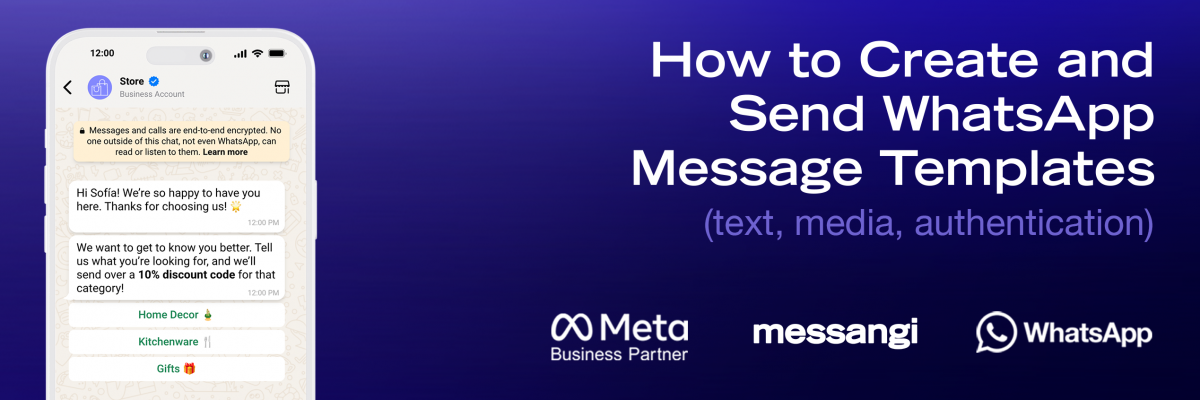
Imagine receiving a flight notification that includes an image of your boarding pass or a document confirming your insurance policy, that is the power of media templates. WhatsApp templates can include media like images, videos, or PDFs to enhance clarity and appeal. They also support interactive buttons, such as CTAs and Quick Replies, that help guide users to take immediate action (e.g., “Shop Now,” “View Policy”).
Frequently Asked Questions (FAQs)
What is the main purpose of a WhatsApp Message Template?
Its main goal is to let businesses start compliant conversations with customers beyond the 24-hour window, specifically for transactional or urgent messages.
Can I include promotional content when Creating and Sending WhatsApp Message Templates?
Yes, but you must choose the “Marketing” category, which follows stricter rules and undergoes closer review by Meta than other template types.
What are variables, and why are they necessary in a template?
Variables like {{1}} are placeholders that let you insert personalized customer data into a fixed message template, tailoring it for each recipient.
How long does it typically take for a new template to be approved?
Approval times depend on the template category and Meta’s workload, but most are approved within minutes or a few hours if submitted properly through a trusted BSP.
Does a template need a button to be considered “interactive”?
Yes. Interactive templates include quick reply or call-to-action buttons that let customers engage with your brand directly from the message.
Conclusion
The disciplined process of Creating and Sending WhatsApp Message Templates is absolutely foundational for any enterprise using the WhatsApp Business API.
Templates ensure your communication remains high-quality, relevant, and compliant, allowing you to connect proactively with millions of customers.
By mastering the structure, leveraging variables, and partnering with a solution like Messangi, you transform static templates into powerful tools for scale.
This systematic approach is the bedrock of successful, compliant, and valuable customer engagement.